
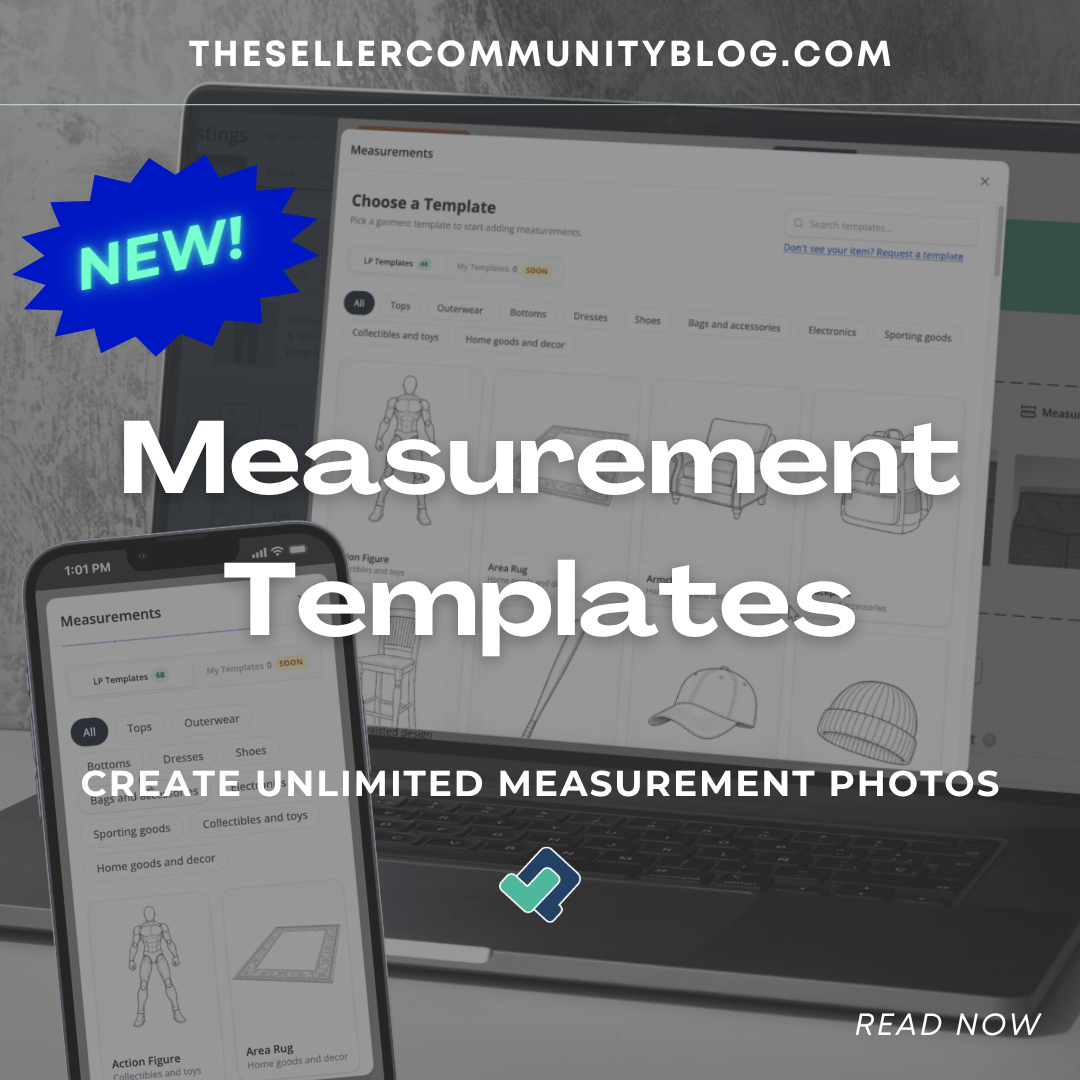

Measurements matter. Sellers know this already.
Whether you are listing clothing, shoes, handbags, furniture, electronics, home goods, or hard goods, buyers want to understand size and dimensions before they purchase. The problem is not only taking the measurements. The harder part is often turning those measurements into a clear, professional image buyers can actually understand.
That usually means dealing with bad lighting, inconsistent photo setups, messy arrows, text overlays, screenshots, or extra editing tools that slow the listing process down.
List Perfectly’s new Measurement Templates feature solves that problem directly inside your listing workflow.
Now you can create unlimited professional measurement photos in List Perfectly, with no extra editing tool, no per-photo cap, no added fee, and no price increase.
Since 2019, List Perfectly has continued adding more tools for sellers without increasing plan prices. Measurement Templates are another example of that same commitment: more features, more listing power, and more ways to create better listings without charging sellers extra every time they use the tool.
Watch the demo video here: https://www.youtube.com/watch?v=5vLgV8NZrjE
What Are List Perfectly Measurement Templates?
Measurement Templates are built-in templates inside List Perfectly that help you create clean measurement diagrams for your listings.
Inside any listing, you can open the image area, click the Measurement Templates button, choose a template, enter your measurements, preview the finished image, and generate a professional measurement photo that is automatically added to your listing images.
The arrows are already placed for you. You only enter the measurements you have.
That means no manually drawing arrows, no typing measurements over photos, no struggling with separate editing apps, and no messy measurement screenshots.
List Perfectly turns your measurements into a clean, high-resolution image that looks consistent and easy to read.

Why Measurement Photos Matter
A clear measurement photo helps buyers understand what they are buying before they purchase.
For clothing, that may mean chest, shoulder, sleeve, length, waist, or inseam. For bags, furniture, electronics, and hard goods, that may mean height, width, depth, or other dimensions buyers need to compare before making a decision.
When measurements are missing, unclear, or hard to read, buyers may hesitate. They may ask more questions. They may misunderstand the size. In some cases, unclear measurements can contribute to item-not-as-described requests, also known as INADs on eBay.
Measurement Templates help reduce that risk by making measurements easier to see and understand directly in the listing photos.
This is not about making listings look fancy for no reason. It is about making listings clearer, more helpful, and more buyer-friendly.
Create Unlimited Measurement Photos Without Extra Editing Tools
One of the biggest advantages of Measurement Templates is that sellers can create unlimited measurement photos inside List Perfectly on supported plans.
There are no extra per-photo fees.
There is no separate editing tool required.
There is no need to manually design the image yourself.
There is no count that charges you every time you generate a measurement photo.
You choose the template, enter the measurements, preview the image, and generate it.
The finished measurement image is added directly to your listing photos and can be reordered, deleted, or synced like any other listing image.
For sellers who list consistently, this matters. Measurements are not a one-time need. They are part of the listing process, especially for sellers with clothing, shoes, handbags, furniture, home goods, electronics, and other measurable inventory.
Built Into the List Perfectly Listing Workflow
Measurement Templates are not a separate tool you have to manage outside your listing process.
They are built into List Perfectly.
The recommended workflow is simple:
Upload your item photos first. Then use Listing Assistant AI while your photos are still original and unedited, so the AI can see the item clearly. After the AI helps create the listing, you can edit photos or remove backgrounds if needed. Then, when measurements apply, use Measurement Templates to create a clean measurement photo.
This workflow keeps the listing process organized:
First, get the listing built.
Then, improve the images.
Then, add clear measurement photos when they help the buyer.
That is the difference. Measurement Templates are not just a template library. They are part of the full List Perfectly workflow.
Templates for Clothing, Shoes, Furniture, Electronics and More
Measurement Templates include built-in templates for many common selling categories, including clothing, shoes, accessories, electronics, sporting goods, toys, collectibles, home goods, decor, furniture, and more.
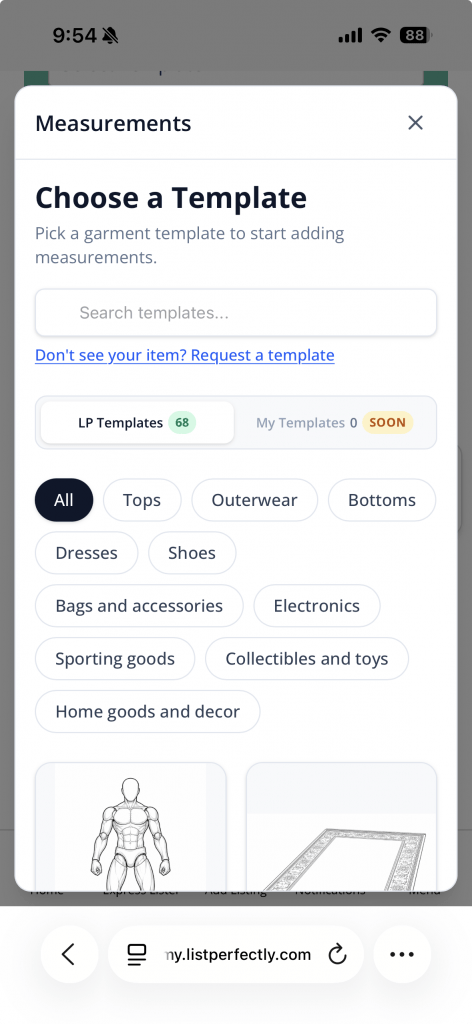
You can browse by category or search for the item type you need.
Once you choose a template, the editor opens with the measurement arrows already placed. You click the label, enter the measurement, and see the preview update.
You do not need to fill out every field. Only the measurements you enter will appear on the final image, so the measurement photo stays clean and easy to read.
That is important because buyers do not need clutter. They need clarity.

Inches, Centimeters or Both
Measurement Templates allow you to show measurements in inches, centimeters, or both.
This is especially helpful for sellers who reach buyers in different locations or sell across multiple marketplaces where buyers may expect different measurement formats.
You can also add optional item details like brand, model, or size, which can appear as a caption on the finished measurement image.
Small details like this help buyers compare items more easily and understand the listing faster.
Add Measurement Details to the Listing Automatically
Measurement Templates can also add the measurement details directly into your listing’s measurement field or description area when enabled.
This gives sellers two helpful places for measurements:
The buyer can see the measurement photo in the listing images.
The buyer can also read the measurement details in the listing text.
That combination can help reduce repeated questions and make the listing easier to understand.
If your listing already has measurement text, List Perfectly will not silently overwrite it. You can choose to append the new measurements, replace the existing measurements, or cancel.
That gives sellers control while still making the process faster.
Works on Mobile and Desktop
Measurement Templates work on mobile and desktop.
That matters because sellers do not always list from one place. You may be listing from your desk, from your couch, from your storage area, or while sourcing and organizing inventory.
With Measurement Templates available inside List Perfectly, you can create professional measurement photos without needing a separate app or desktop-only editing process.
For sellers who want a cleaner workflow, that is a major time-saver.
What If List Perfectly Does Not Have the Template Yet?
If you do not see the template you need, you can request one.
List Perfectly can continue building and adding templates over time based on what sellers actually need. That means this feature can keep growing with the way real sellers list.
This is especially important because inventory is not one-size-fits-all. Sellers list clothing, shoes, bags, collectibles, furniture, electronics, home decor, sports equipment, and countless hard goods where measurements can matter.
If the item needs measurements, the goal is to make it easier to create a clear measurement photo for it.
More Features, No Price Increase
List Perfectly has been supporting sellers since 2019 with constant feature updates and no plan price increases.
Measurement Templates continue that same promise: more tools built into List Perfectly to help sellers list better, faster, and more professionally.
No add-on editing tool.
No extra measurement-photo fee.
No per-image charge.
No cap on measurement photo generation for supported plans.
No price increase.
Just another powerful feature added to the List Perfectly workflow.
Why This Feature Matters
Measurement Templates solve a real seller problem.
Taking measurements is already work. Turning those measurements into a clean, consistent, professional photo should not require extra software, extra fees, or extra time.
With List Perfectly Measurement Templates, sellers can create clearer listings, help buyers understand sizing and dimensions, reduce buyer questions, and help lower the risk of item-not-as-described requests.
It is a better way to show measurements, built directly into the listing process.
Try List Perfectly Measurement Templates
List Perfectly helps sellers create listings, organize inventory, crosslist to multiple marketplaces, manage photos, use Listing Assistant AI, and now create unlimited professional measurement photos with Measurement Templates on supported plans.
Start with 100 free listings and see how List Perfectly helps sellers list, crosslist, and manage inventory with more confidence.
FAQ
What are List Perfectly Measurement Templates?
List Perfectly Measurement Templates are built-in templates that help sellers create professional measurement photos directly inside a listing. The templates include pre-placed arrows, so sellers only need to enter the measurements they have and generate the image.
Are Measurement Templates unlimited?
Yes. Measurement photo generation is unlimited on the supported plans that include Measurement Templates. There are no per-photo fees, no extra editing-tool fees, and no cap on how many measurement photos you can create.
Do I need another editing tool to create measurement photos?
No. Measurement Templates are built directly into List Perfectly. You do not need to manually draw arrows, add text overlays, or use a separate editing app to create the measurement photo.
Can Measurement Templates help reduce buyer questions or INADs?
Clear measurement photos can help buyers better understand size, fit, and dimensions before purchase. That can help reduce buyer questions and can help lower the risk of item-not-as-described requests, often called INADs on eBay. Or help a marketplace to take a fair decision based on the reseller’s proactive behaviour to provide helpful information.
Do Measurement Templates work on mobile?
Yes. Measurement Templates work on mobile and desktop, so sellers can create professional measurement photos from the same List Perfectly workflow.