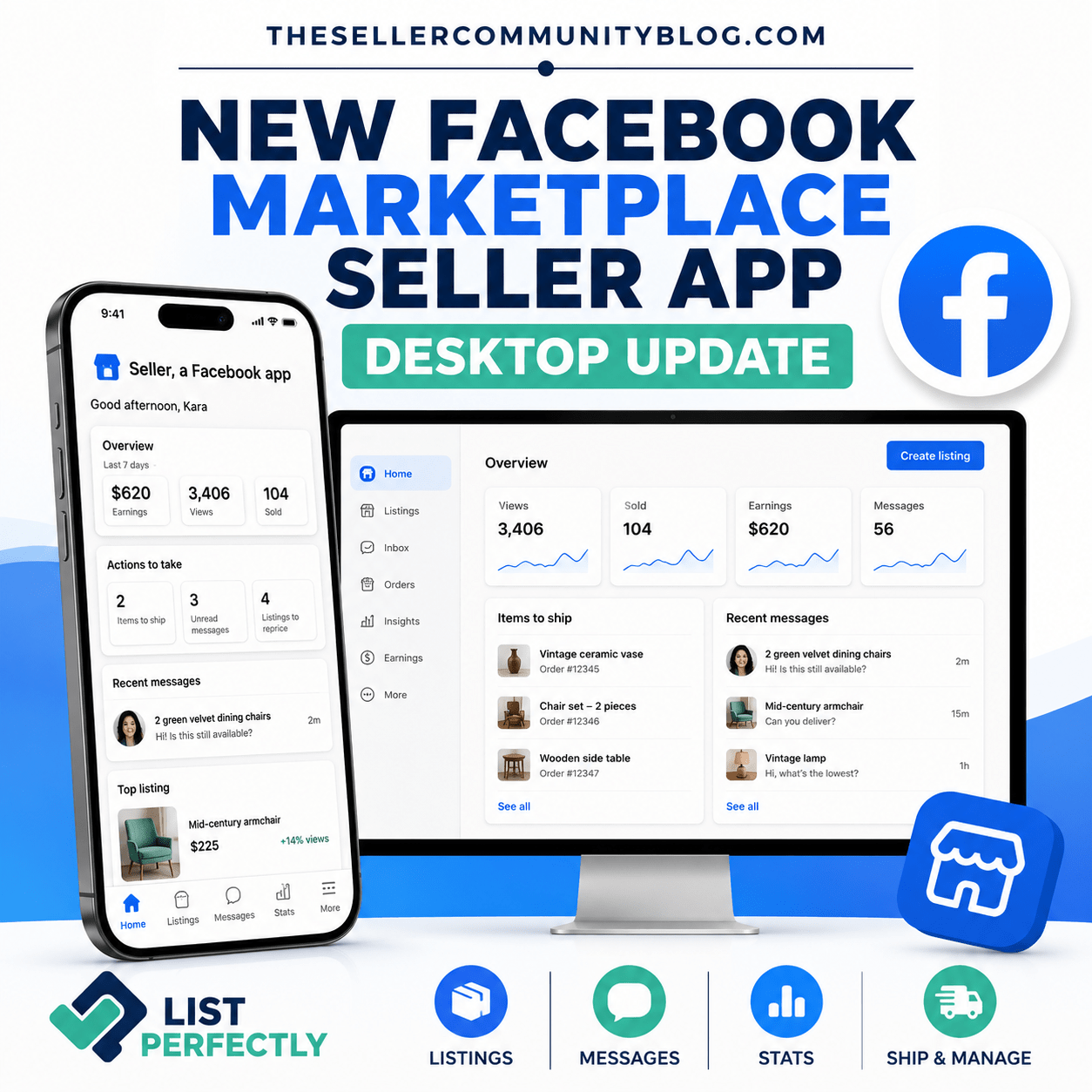

Facebook Marketplace’s new seller app does more than add another icon to your phone—it changes your desktop selling experience too. After you install Seller, a Facebook app, and sign in with the Facebook account you use for Marketplace, your desktop view updates to a more focused dashboard for listings, buyer messages, items to ship, and listing stats. Android access is still limited, and some users are seeing that the early access program is full. (about.fb.com)
Facebook Marketplace Now Has a Dedicated Seller App
Meta launched its dedicated app for Facebook Marketplace sellers on July 24, 2026. Its official name is Seller, a Facebook app. It gives resellers a separate place to manage listings, buyer messages, and selling activity instead of finding everything inside the main Facebook app.
Sign in with the same Facebook account you use for Marketplace, and your existing listings, messages, ratings, and selling history carry over. Listings you create or edit in the app also appear on Facebook Marketplace and stay synced. The app is optional, so you can still sell through the regular Facebook Marketplace experience. (about.fb.com)
Read Meta’s official announcement for the Facebook Marketplace Seller app and Facebook’s instructions for Seller, a Facebook app.
 .
. 
Downloaded the Seller App? Facebook Marketplace Will Look Different on Desktop
The change is not limited to your phone. After you download Seller, a Facebook app, and sign in, Facebook also updates your Marketplace selling experience on desktop.
In the new view List Perfectly received, listings, buyer activity, items to ship, and other selling tasks are easier to find in one dashboard. That matters for resellers who prefer to create listings, crosslist, and manage inventory from a desktop or laptop. Meta confirms that the app includes a web experience for sellers who download it. (about.fb.com)

Can You Download the Facebook Marketplace Seller App on iPhone and Android?
The official download pages are live for both platforms, but access is not the same for everyone.
iPhone: Download Seller, a Facebook app from the Apple App Store. Meta launched the iPhone app for Facebook Marketplace users age 18 and older in the United States. (about.fb.com)
Android: View Seller, a Facebook app on Google Play. Android access is still limited, and the early access program may be full when you try to download it. (about.fb.com)
Before downloading, check that the publisher is Meta Platforms, Inc.
Why Google Play Says the Seller App Early Access Program Is Full
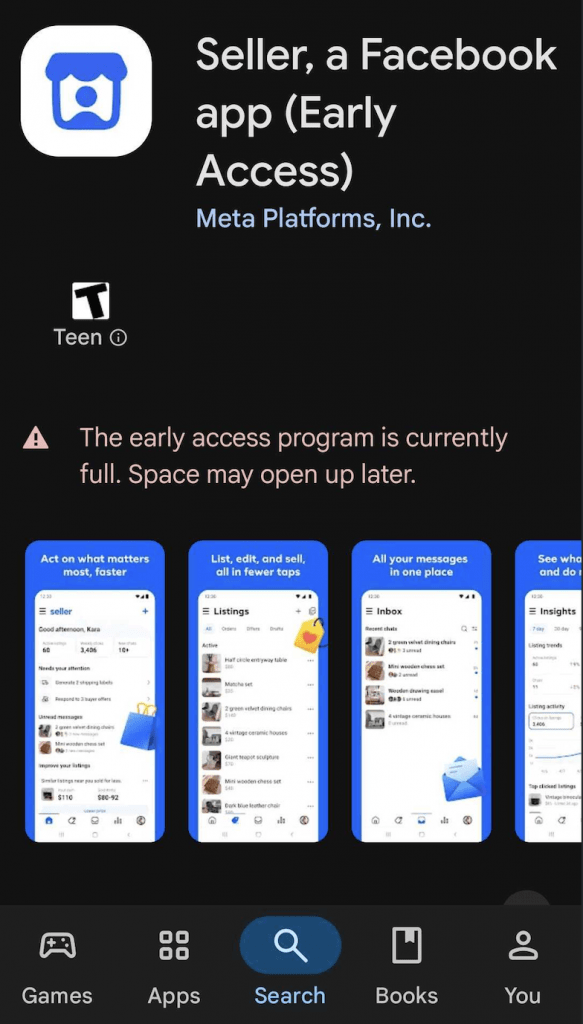
When List Perfectly checked the Google Play listing, Seller, a Facebook app displayed this message:
“The early access program is currently full. Space may open up later.”
That means the Android app could not be downloaded from that account at that time, even though the official Google Play page was still visible. Android users can save the official listing and check again as more space opens.
What’s New in the Facebook Marketplace Seller Dashboard?
The new dashboard brings Facebook Marketplace selling tools into one focused space.
Home dashboard: See items to ship, buyers waiting for a reply, listings to reprice, and a quick look at how sales are doing.
Listing creation: Upload photos and Meta AI can suggest a title, description, price, and category.
Bulk listing tools: Create several listings at once, or reprice, relist, and delete listings in bulk.
Buyer messages by listing: Marketplace conversations are organized by item and kept separate from personal chats.
Listing stats: See views, saves, messages, and sold listings, along with price recommendations and relisting suggestions. (about.fb.com)

Can You Still Crosslist to Facebook Marketplace With List Perfectly After the Update?
Yes. You can still crosslist to Facebook Marketplace from your List Perfectly Catalog or directly from another marketplace, such as eBay.
List Perfectly moves your photos, title, description, price, and other listing information into Facebook’s selling form. You then review the Facebook category, item details, and required fields before publishing.
See both options in our guide to crosslisting to Facebook Marketplace with List Perfectly. (listperfectly.com)
The Facebook Marketplace Seller app and List Perfectly do different jobs. The Facebook app gives you a dedicated place for Marketplace listings, buyer messages, and listing stats. The List Perfectly Catalog gives resellers one place to create, organize, and crosslist listings across marketplaces. (listperfectly.com)
Already downloaded Seller, a Facebook app? Sign in, open Facebook Marketplace on your desktop, and explore the updated selling view. Android users who see the early access message can return to the official Google Play listing and check again later.
Facebook Marketplace Seller App FAQs
What is Seller, a Facebook app?
Seller, a Facebook app is Meta’s dedicated app for Facebook Marketplace sellers. It brings listings, buyer messages, selling tasks, and listing stats into a separate seller-focused space.
Does the Facebook Marketplace Seller app change the desktop selling view?
Yes. After you install Seller, a Facebook app and sign in with the Facebook account you use for Marketplace, Facebook updates your desktop selling experience.
Why does Google Play say the early access program is full?
Android access is limited. When the early access program is full, the app cannot be downloaded from that account at that time, but space may open later.
Can you still crosslist to Facebook Marketplace with List Perfectly?
Yes. Resellers can still crosslist from the List Perfectly Catalog or directly from another marketplace, then review Facebook’s required fields before publishing.