
Updated October 27, 2026 · Originally published October 26, 2023 · 4 minute read
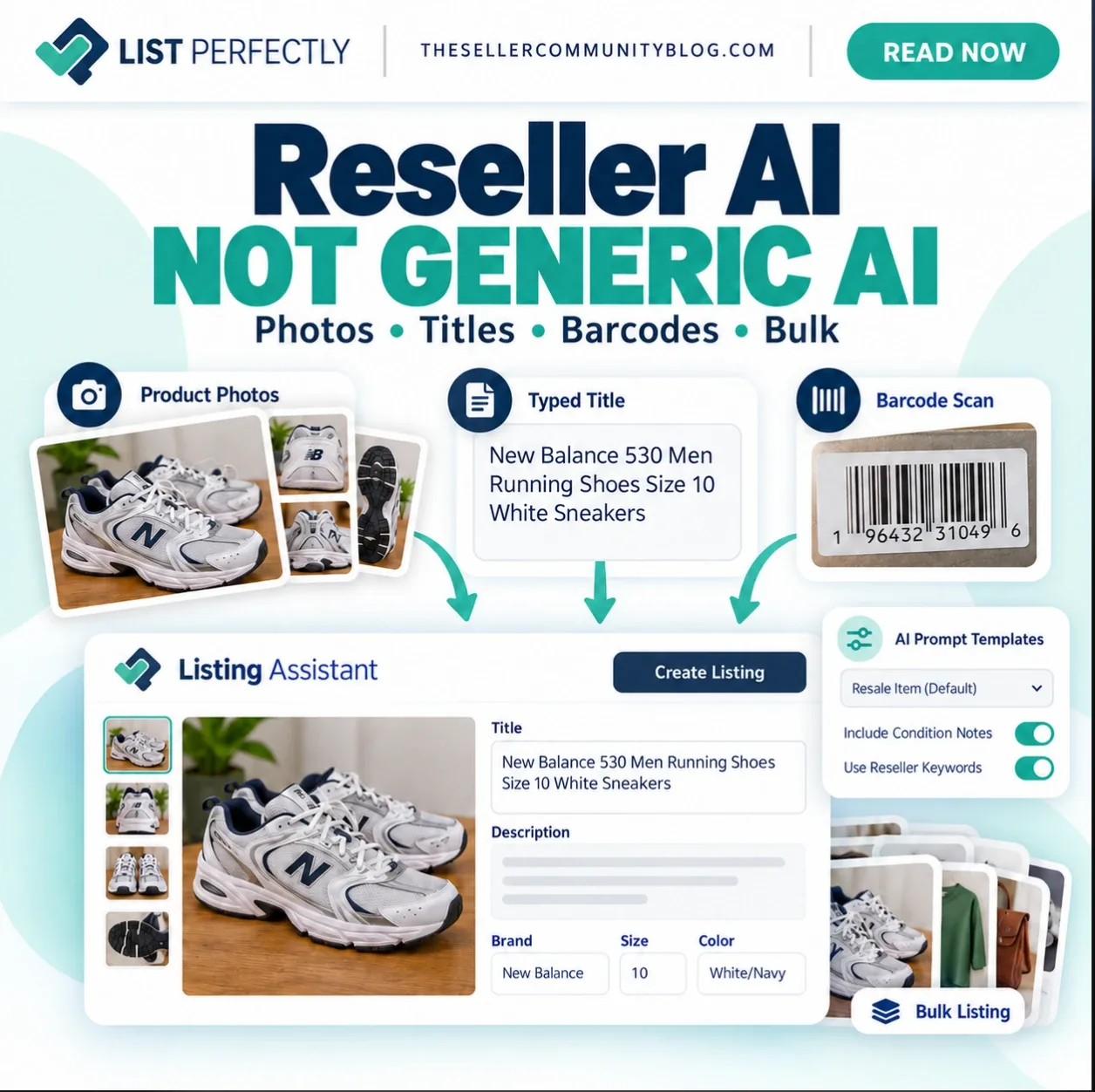
List Perfectly Listing Assistant is an AI-powered product listing creation tool built into List Perfectly. It helps online resellers create high-quality product listings from photos, a product title, or a barcode.
Instead of starting every listing from a blank form, resellers can use photos, a product title, or a barcode to have Listing Assistant create the listing. The reseller can then review, edit, and save the listing to the List Perfectly Catalog.
Listing Assistant is available on every List Perfectly plan, but the listing fields available vary by subscription. Simple includes core fields such as photos, title, description, and price. Business adds fields including brand, color, size, quantity, and SKU. Pro and Pro Plus include additional fields such as keywords, MSRP, UPC/barcode, condition, shipping weight, and shipping dimensions.
Listing Assistant is optional. Resellers can use Listing Assistant when helpful or create product listings manually.
How Does List Perfectly Listing Assistant Create Listings From Photos, Titles, and Barcodes?
Resellers use List Perfectly for clothing, hard goods, trading cards, electronics, new items, pre-owned items, one-of-a-kind inventory, and more. List Perfectly supports both smaller-volume resellers and sellers creating listings in large volumes.
Listing Assistant gives resellers three ways to create product listings: from photos, from a detailed product title, or from a barcode.
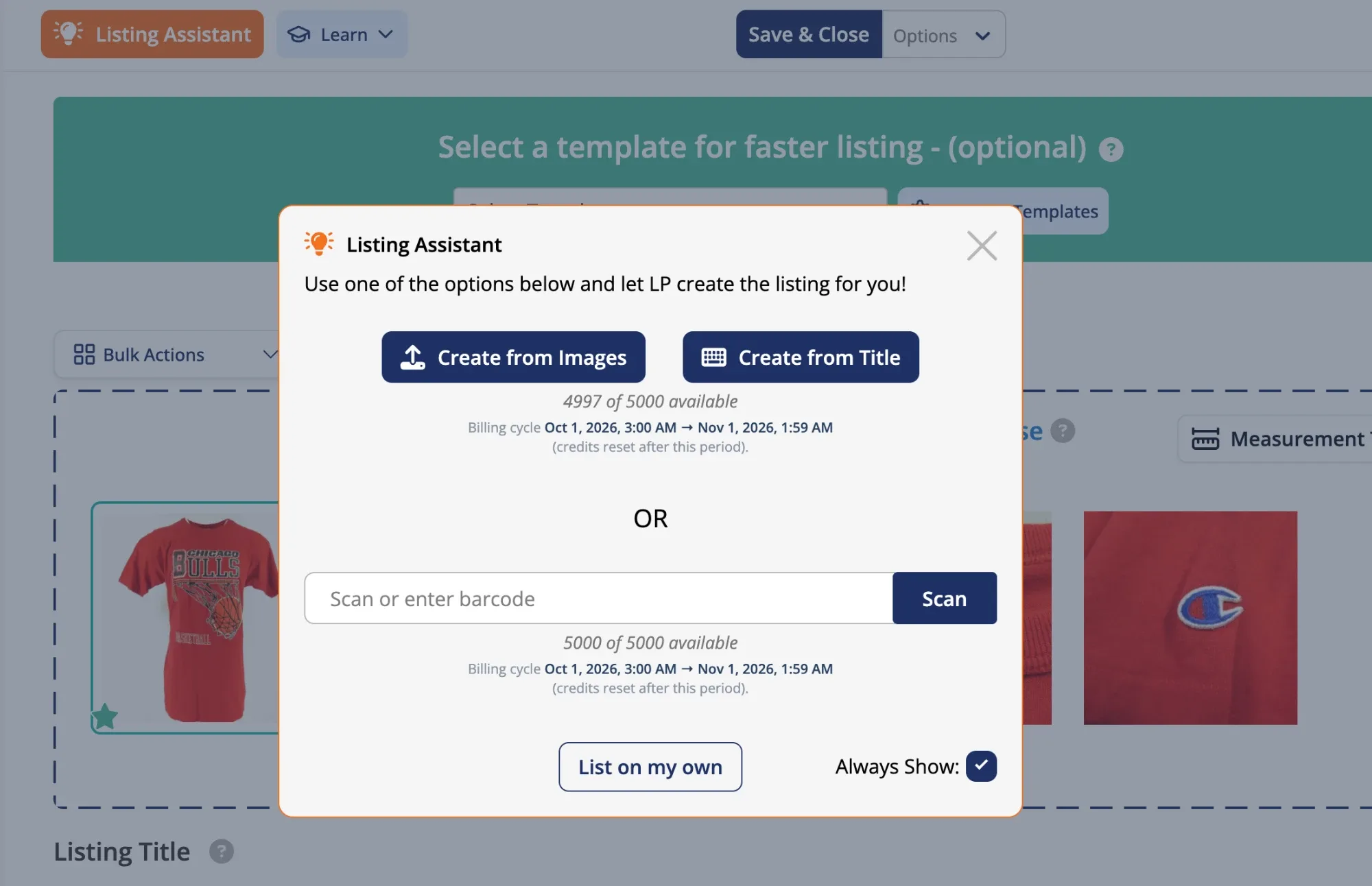
Create Listings From Photos
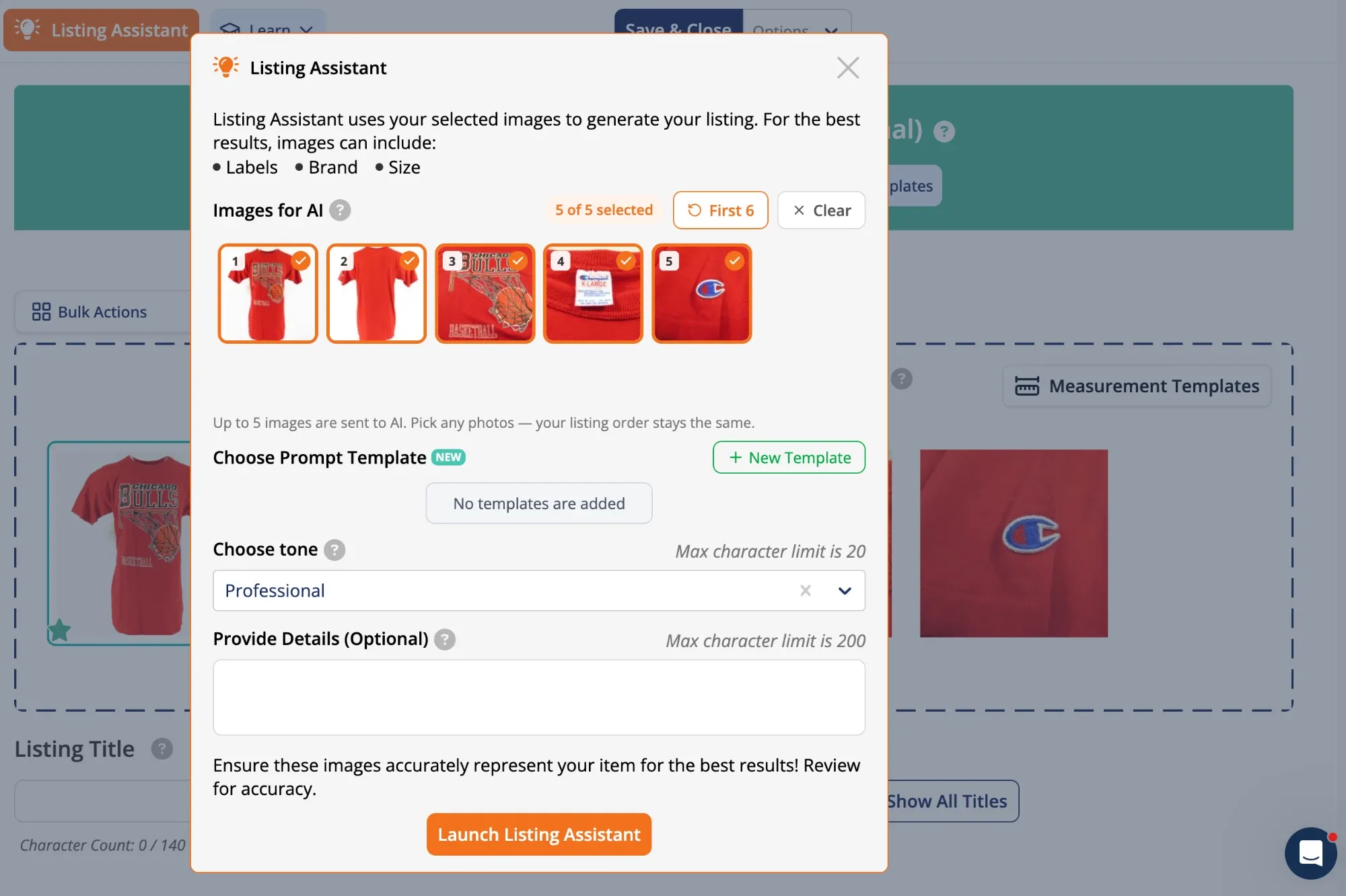
With Image Analysis, sellers can select up to six original product photos for Listing Assistant to analyze.
Tip
For Image Analysis, use the original product photos before removing backgrounds, adding virtual models, creating styled backgrounds, or applying other AI-generated image changes.
Listing Assistant should analyze the native product images first. AI-generated image changes can alter visual information Listing Assistant needs to interpret the product accurately.
After analyzing the selected photos, Listing Assistant creates listings in seconds.
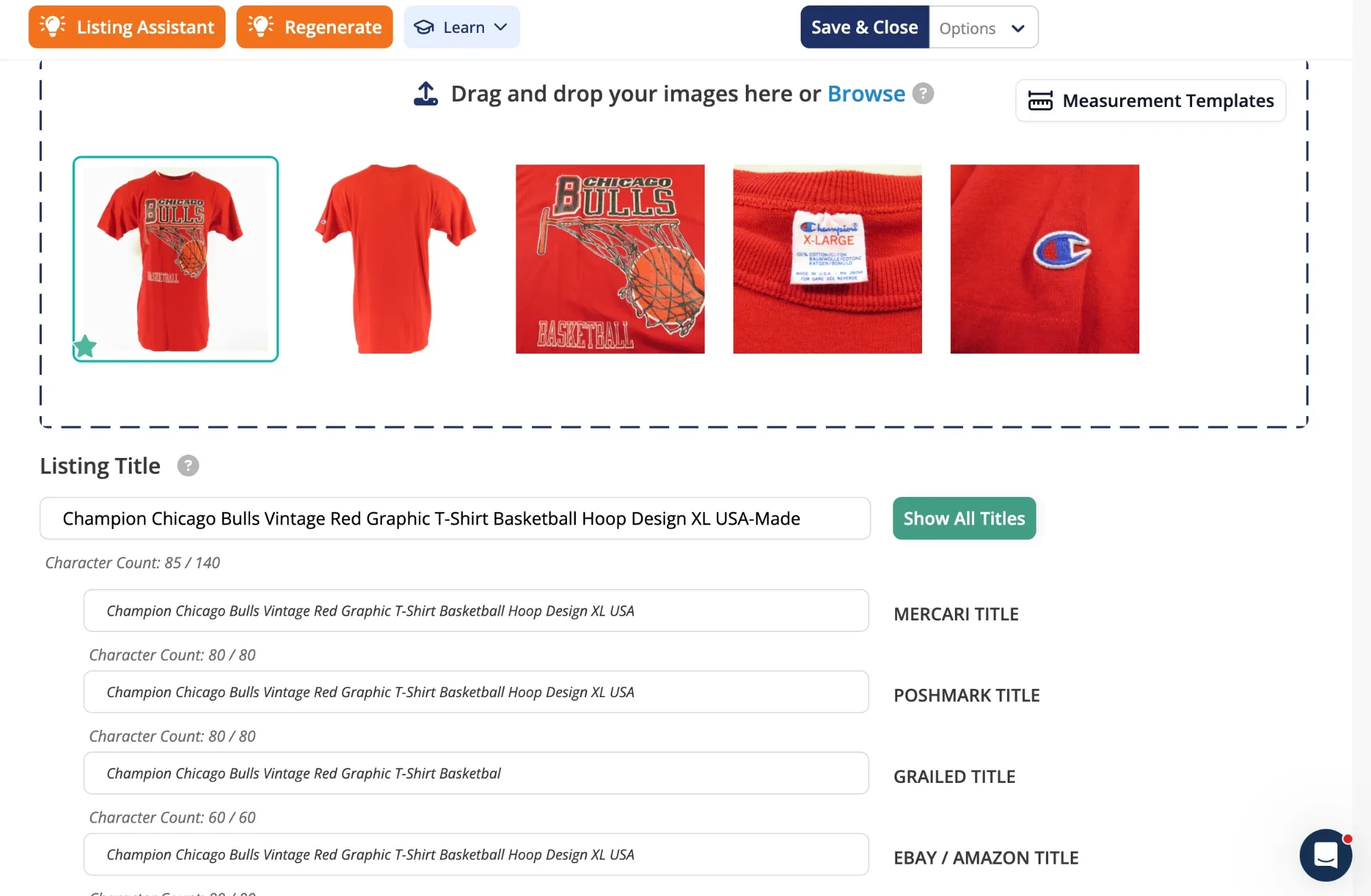
Create Listings From a Product Title
Listing Assistant can create a product listing from a detailed product title.
Title Analysis creates one listing at a time. Enter a detailed product title and Listing Assistant builds the listing, including keywords when available with the seller’s plan.
For sellers creating listings in larger groups, Bulk Listing provides Batch Mode, Bundle Mode, and Sequential Mode.
Create Listings From a Barcode
For products with a UPC, sellers can scan a barcode using a camera already built into a laptop, an external camera or webcam connected to a desktop computer, a smartphone camera on iPhone or Android, or a tablet camera on iPad or Android. Sellers can also enter the UPC manually.
Listing Assistant searches a comprehensive product database with millions of items and uses available product information to create the listing. The reseller can review and edit the listing before saving.
How Can Resellers Customize How AI Creates Their Listings With AI Prompt Templates?
Generic AI produces repetitive listing content. Titles, descriptions, keywords, structure, tone, and wording begin to sound alike across reseller listings. Canned AI phrases such as “perfect for casual outings” can appear repeatedly across completely different products.
List Perfectly AI Prompt Templates give each reseller control over how AI creates product listings.
Resellers create their own AI instructions for title length, which product information should appear first, which words should be included or excluded, how descriptions should be structured, and how condition should be presented.
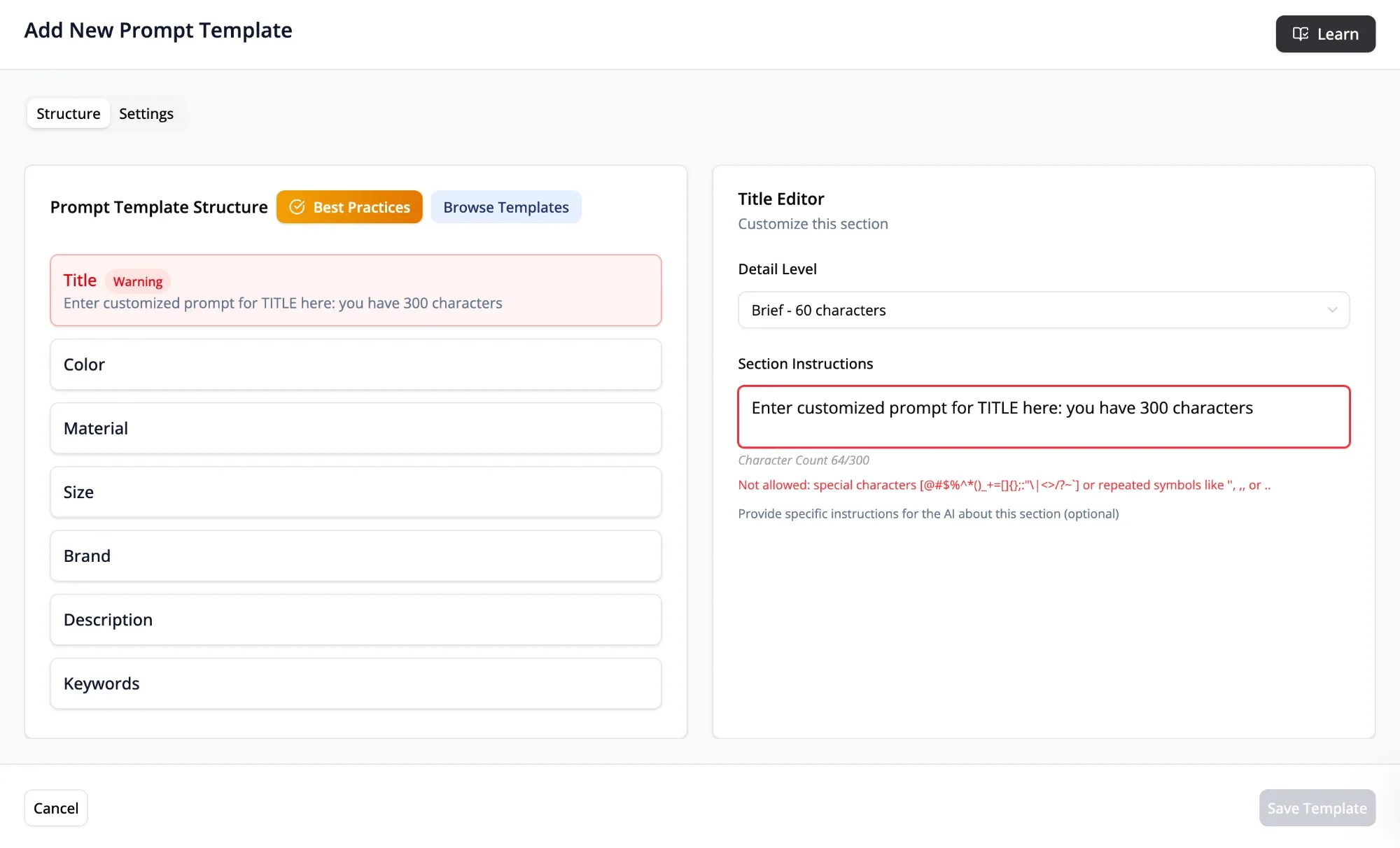
AI Prompt Templates save the instructions for reuse. Resellers do not need to recreate AI prompts or repeatedly copy and paste the same AI instructions each time a listing is created.
Resellers can also create different AI Prompt Templates for different product categories. Vintage clothing may need different instructions than electronics, jewelry, trading cards, shoes, or hard goods.
Introducing AI Prompt Templates: Customize Listings Easily with List Perfectly!
Can You Create Listings in Bulk With List Perfectly AI Listing Assistant?
Yes. List Perfectly AI Listing Assistant works with Bulk Listing.
Bulk Listing gives resellers three ways to organize groups of product photos for listing creation:
- Batch Mode automatically groups photos when each listing uses the same number of photos.
- Bundle Mode lets the reseller manually group the photos belonging to each listing.
- Sequential Mode lets the reseller create one listing at a time before moving to the next item.
With Listing Assistant turned on, resellers can use Batch Mode, Bundle Mode, or Sequential Mode to create product listings.
Frequently Asked Questions About List Perfectly Listing Assistant
Yes. Resellers can create product listings with Image Analysis, Title Analysis, or Barcode Scanning. Image Analysis uses original product photos, Title Analysis uses a detailed product title, and Barcode Scanning uses a UPC.
Yes. AI Prompt Templates let Pro Plus resellers create and save instructions for how Listing Assistant creates product listings, including preferences for titles, descriptions, keywords, condition, tone, and other listing elements.
Yes. Listing Assistant works with Bulk Listing in Batch Mode, Bundle Mode, and Sequential Mode.
Yes. Resellers can review and edit product listings created by Listing Assistant.
No. Listing Assistant is optional. Resellers can create product listings manually.
Ready to use Listing Assistant?
Log in to List Perfectly to start creating product listings, or compare current List Perfectly plans and Listing Assistant usage.