

Updated November 10, 2026 · Originally published July 8, 2024 · 6 minute read
List Perfectly Auto Delist is another unlimited List Perfectly tool that automatically removes linked active listings from marketplaces after a sale is detected.
By removing sold inventory from the other marketplaces where it is still listed, Auto Delist helps prevent double sales, reduce avoidable order cancellations, and protect marketplace account health.
Prevent Double Sales Across Marketplaces With Auto Delist
When the same item is listed on multiple marketplaces, there may still be only one item available to sell. Once it sells on one marketplace, the other active listings need to be delisted so another buyer cannot purchase inventory that is no longer available.
List Perfectly gives resellers different levels of sold-item management depending on their plan, from a semi-automatic process to fully automated Auto Delist.
| List Perfectly plan | Sales Detection | Sold-item process | Level of automation |
|---|---|---|---|
| Simple | No | The marketplace notifies the reseller of the sale. The reseller has unlimited Mark Sold, one listing at a time. List Perfectly ends the linked marketplace listings for that item. | Semi-automatic |
| Business | No | The marketplace notifies the reseller of the sale. The reseller has unlimited Mark Sold and can mark multiple listings sold at a time. | Semi-automatic + bulk |
| Pro | Unlimited Sales Detection | List Perfectly detects the sale. The reseller then uses unlimited Mark Sold, including multiple listings at a time. | Semi-automatic + Sales Detection + bulk |
| Pro Plus | Unlimited Sales Detection | Auto Delist automatically removes the linked active listings after the sale is detected. No Mark Sold action is required for the normal Auto Delist process. | Fully automated |
Simple, Business, and Pro use a semi-automatic Mark Sold process, with bulk Mark Sold available beginning with Business. Pro adds unlimited Sales Detection, while Pro Plus combines unlimited Sales Detection with Auto Delist for fully automated listing removal.
Tip
List Perfectly Mobile is also unlimited on every plan and gives resellers direct access to live marketplace listings through their marketplace icons when they need to open an individual listing. This is especially useful with the semi-automatic processes on Simple, Business, and Pro because the reseller does not have to open the marketplace, search for the item, and locate the listing manually.
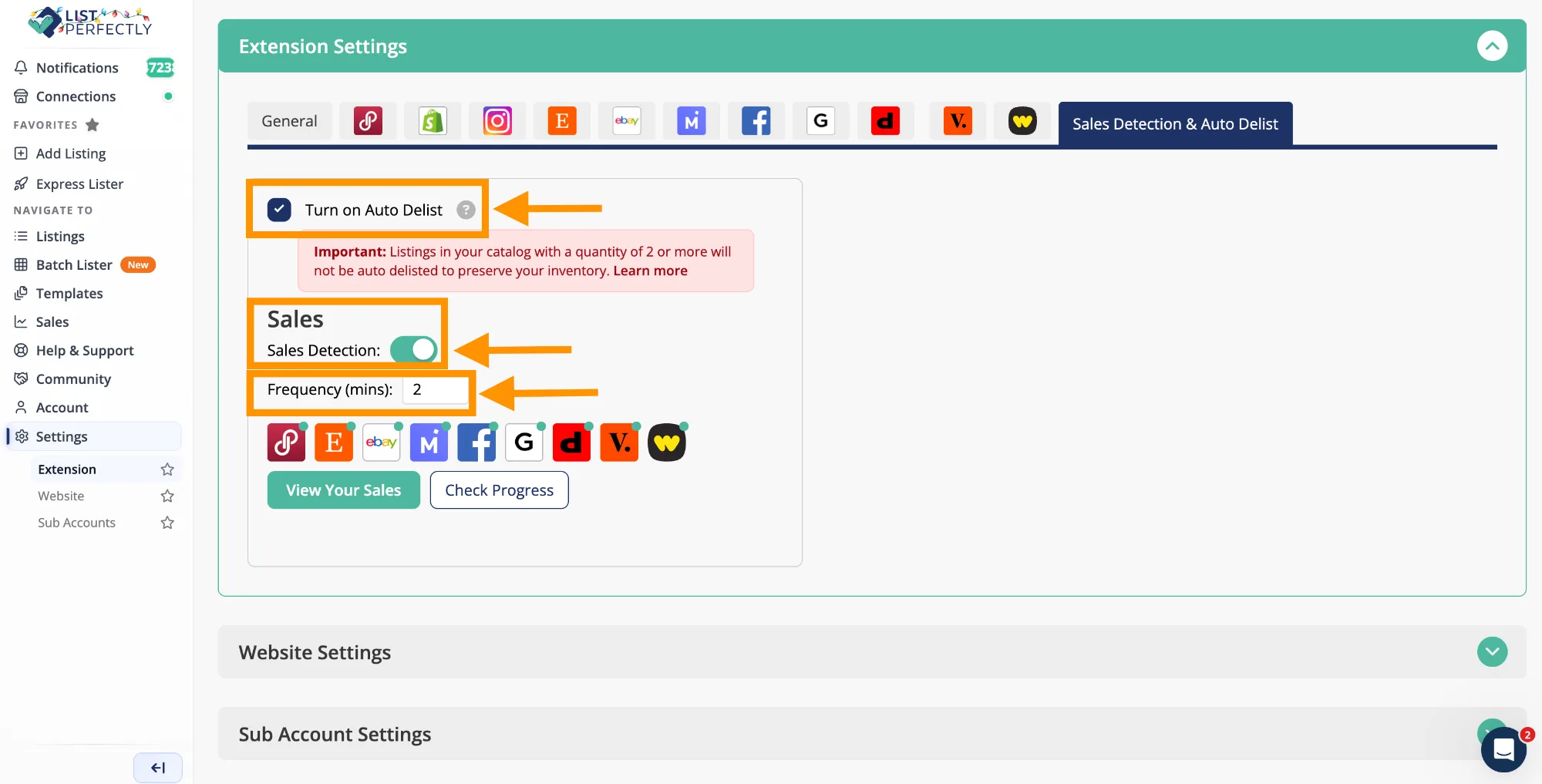
With Pro Plus Auto Delist, that manual delisting step is removed from the normal sold-item process. List Perfectly detects the sale and automatically delists the linked active listings.
Want to see Auto Delist in action? Watch How Auto Delist Works in List Perfectly: Prevent Double Sales Automatically.
Reduce Cancellations and Protect Your Marketplace Account Health
The biggest consequence of a double sale is often the cancellation that follows. If an item sells on one marketplace and then sells again somewhere else, the reseller may have to cancel the second order because the inventory is no longer available.
Avoidable cancellations can create a poor buyer experience and may affect marketplace account health. Each marketplace handles cancellations differently, but preventing unnecessary cancellations helps reduce avoidable risk to the seller account.
That matters even more for one-of-a-kind and limited-quantity inventory, where there is no replacement item available after the first sale.
Auto Delist helps reduce that risk by removing the other linked active listings automatically after the sale is detected.
Keep Listings Synchronized Across Marketplaces
Auto Delist helps keep the status of linked listings aligned as inventory changes.
While an item is available, its linked marketplace listings can remain active. After the item sells, Auto Delist removes the remaining active listings so the same inventory is no longer being offered for sale elsewhere.
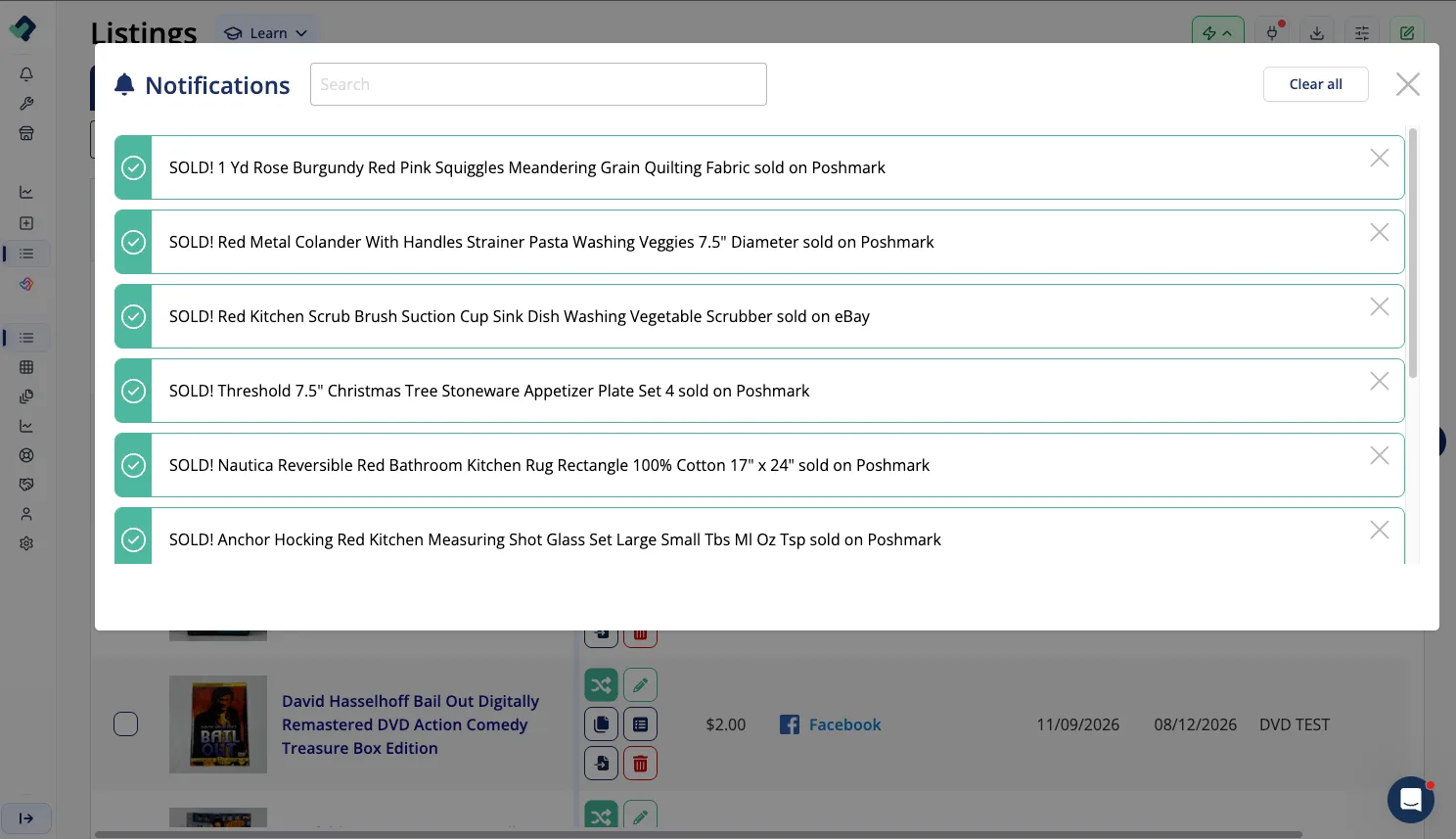
The sold item does not simply disappear from the reseller’s records. Relevant sales information can be retained through List Perfectly Sales & Analytics, giving the reseller sales history while the active listings are removed from the marketplaces.
For this to work, the marketplace listings need to be connected to the matching item in the List Perfectly Catalog. The Link and Sync Listings Across Marketplaces guide explains how those connections work and why linking matters for inventory-management tools such as Auto Delist.
Unlimited Auto Delist Across All Marketplaces
List Perfectly Pro Plus includes unlimited Auto Delist with no additional per-use charge.
There is no per-delist fee and no need to ration Auto Delist as sales volume grows. For resellers managing larger inventories or selling across more marketplaces, the automation can continue working as the business grows without creating a separate Auto Delist usage cost.
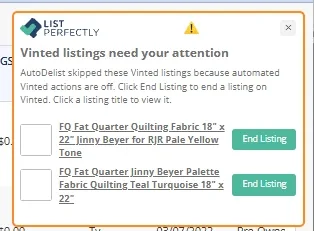
Specific marketplace and inventory exceptions are covered in the FAQ below.
Frequently Asked Questions About List Perfectly Auto Delist
Auto Delist is included with List Perfectly Pro Plus.
Sales Detection is included with Pro and Pro Plus, while Pro Plus adds Auto Delist so linked active listings can be removed automatically after a sale is detected.
See current List Perfectly plans and pricing for complete plan information.
Yes. Auto Delist is unlimited with List Perfectly Pro Plus. There is no additional per-delist charge.
Sales Detection detects the sale.
With Pro, List Perfectly provides unlimited Sales Detection, and the reseller then uses Mark Sold to delist the linked marketplace listings.
With Pro Plus, Sales Detection detects the sale and Auto Delist automatically removes the linked active listings. No Mark Sold action is needed for the normal Auto Delist process.
For more detail, read List Perfectly Auto Sales Detection.
Yes. Auto Delist needs the listings to be in the List Perfectly Catalog so List Perfectly can manage the inventory item and connect it to its marketplace listings.
If listings were crosslisted directly from marketplace to marketplace without being imported into the Catalog, they need to be imported before Auto Delist can manage them.
Yes. Linking connects each marketplace listing to the matching List Perfectly Catalog item.
That connection tells List Perfectly which active marketplace listings represent the same inventory item and should be delisted after a sale.
For more detail, see Link and Sync Listings Across Marketplaces.
Yes. Auto Delist currently operates through the List Perfectly Extension on the designated device, so that device needs to remain on and active for Sales Detection and Auto Delist to continue running.
Auto Delist works when the quantity in the List Perfectly Catalog reaches one.
For multiple identical units, the Catalog quantity needs to remain current until only one item is left. After the final item sells, Auto Delist can remove the linked active listings.
Vinted: No. List Perfectly supports Vinted for crosslisting, but Auto Delist is not available because that type of automation is not allowed by Vinted.
List Perfectly stops automation where marketplace terms of service begin.
Read Why List Perfectly Customers Can Keep Selling on Vinted for the complete explanation.
Shopify: Not currently. Auto Delist for Shopify is coming soon.