
What Is Google Lens?
Google Lens is a free visual search tool from Google that lets you search with your camera or a photo instead of typing words into a search bar.
For resellers, Google Lens saves time when researching items to sell online.
Sometimes you find an item and do not know exactly what it is. Other times, you know what it is, but you need help finding the price, brand, style, model, keywords, or title ideas.
With Google Lens, you can snap a pic or upload an image and let Google search for similar results across the web.
Google Lens Uses AI to Identify Objects
Google Lens uses AI and visual search to identify what is in an image.
For resellers, that means Google Lens can help answer one of the most common sourcing and listing questions:
“What is this?” “How much is this selling for?” “What brand is this?”
You can use Google Lens to search brands, labels, logos, stamps, marks, graphics, patterns, product details, and full item photos.
Google Lens can generate visual search results and rank them by relevance, so you can compare results and continue your research faster.

Google Lens Helps Resellers
Google Lens can help resellers research items faster, especially when an item is hard to identify or needs better listing information.
It can help with:
- Brand names
- Style names
- Model numbers
- Pattern names
- Character names
- Similar items
- Keywords
- Title ideas
- Category research
- Pricing research
A reseller may use Google Lens to answer:
“What is this item?”
“What style is this?”
“What model is this?”
“What keywords should I use?”
“What similar items are showing online?”
“How much are online sellers asking for this item?”
“How much have similar items sold for?”
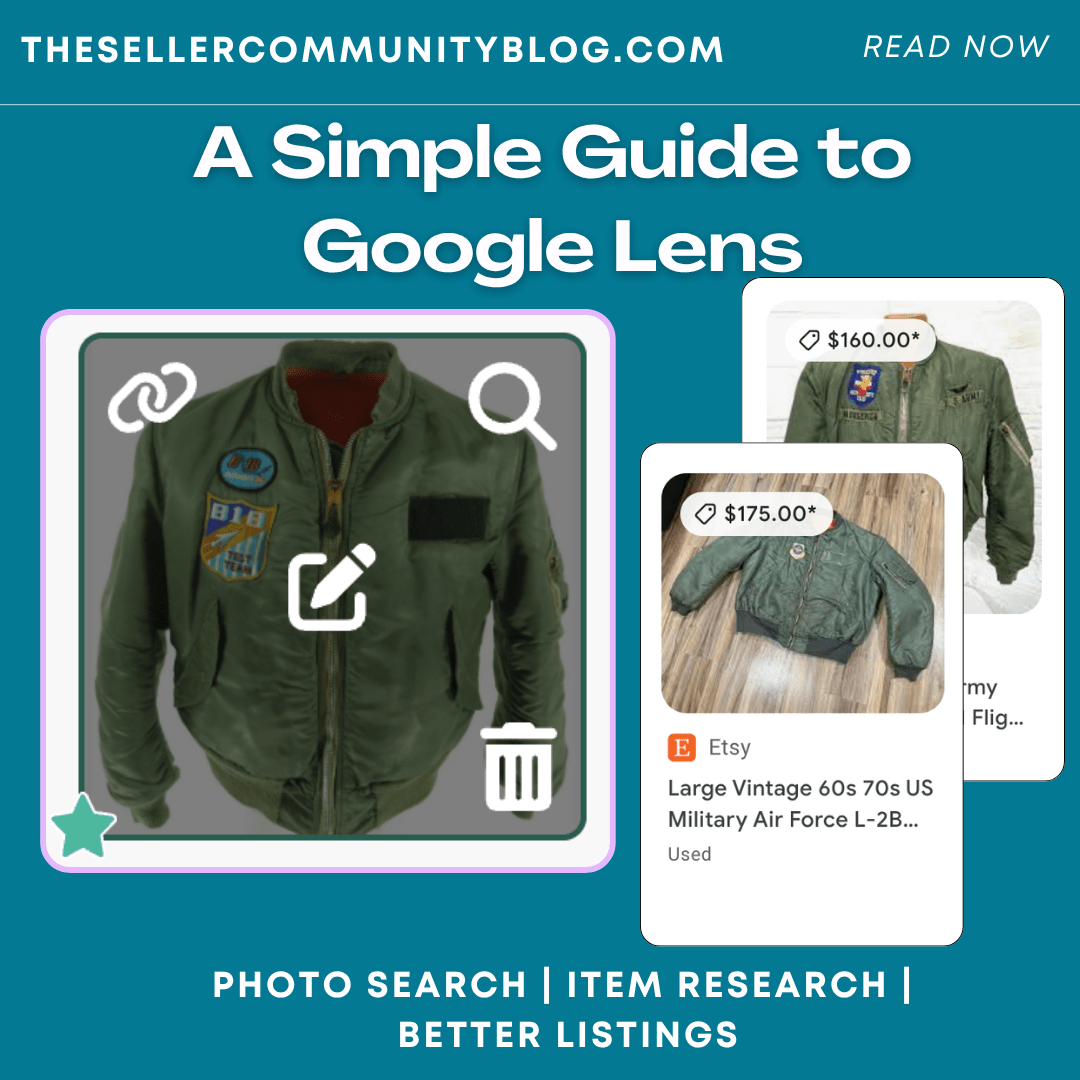
Google Lens may show marketplace listings, product pages, websites, images, shopping results, and other similar results from across the web. This can help you research before writing your listing titles, keywords, descriptions, prices and more.
Use Google Lens on Just About Anything
One of the best things about Google Lens is that resellers can use it on just about anything.
You can try Google Lens on:
- Clothing
- Shoes
- Handbags
- Jewelry
- Electronics
- Toys
- Collectibles
- Jewerly
- Glassware
- Artwork
- Home décor
- Tools
- Books
- Maker’s marks
- Model numbers
- Barcodes
If an item has a visual detail, Google Lens will help you research it.
This can be helpful when you are sourcing at thrift stores, estate sales, yard sales, flea markets, bins trips, or working through unlisted inventory at home.
Add Google Lens to Your Phone for Faster Reseller Research
If you use Google Lens often, make it easy to access from your phone.
Android users can install Google Lens from the Google Play Store. iPhone and iPad users can use Google Lens inside the Google app from the App Store.
You can also add the Google Search widget to your phone home screen for faster access to Google Lens while sourcing, sorting inventory, checking an item quickly, or researching before you list.
Helpful links:
- Google Lens on Google Play: https://play.google.com/store/apps/details?id=com.google.ar.lens
- Google app on the App Store: https://apps.apple.com/us/app/google/id284815942
- How to add and customize the Google Search widget on Android: https://support.google.com/websearch/answer/9208897/add-amp-customize-your-search-widget-android
- How to add Google app widgets on iPhone and iPad: https://support.google.com/accounts/answer/16262751

From Google Lens Research to Better Listings
Google Lens is a great starting point for reseller research.
It can help you identify what you have, find brand names, style names, model numbers, keywords, title ideas, and pricing information. But the next step is turning that research into a listing that buyers can find.
That is where List Perfectly can help.
List Perfectly helps resellers create, manage, and crosslist listings from one central Catalog. Google Lens can help you research the item, and List Perfectly helps you turn that research into listings you can review, edit, manage, and list across multiple marketplaces.
Want to see Google Lens inside the List Perfectly workflow? Watch this quick demo: How to Price Items Faster Using Google Lens and eBay Pricing Lookup in List Perfectly: https://www.youtube.com/watch?v=uOoAzmd4Dpw
Final Thoughts
Google Lens is a simple, free tool that can help resellers research inventory without breaking the bank.
It can help you answer “What is this?” and “How much are online sellers asking?” while also helping with brands, styles, models, keywords, titles, and pricing research.
For resellers, that kind of research can make listing easier and faster.
FAQ
Is Google Lens free?
Yes. Google Lens is free to use, which makes it a helpful research tool for resellers who want to identify items, compare similar results, and research before listing.
How can resellers use Google Lens?
Resellers can use Google Lens to research brand names, style names, model numbers, pattern names, character names, keywords, title ideas, similar items, and pricing information.
Can resellers use Google Lens to check prices?
Yes. Google Lens can show similar items across Google results, including marketplace listings, shopping results, websites, and product pages. Resellers can use those results to see how much online sellers are asking for similar items.
Does Google Lens show Sold Out listings?
Yes. Google Lens may show Sold Out listings. If sold listings appear in the Google results, resellers can use those results as part of their pricing research and click the links to review more details.
Does Google Lens help with listing titles and keywords?
Yes. Google Lens can help resellers find words buyers may use when searching, including brand names, style names, model numbers, pattern names, character names, and other item details.
What can resellers search with Google Lens?
Resellers can search clothing, shoes, bags, jewelry, plush, toys, pottery, collectibles, artwork, tools, electronics, tags, labels, logos, barcodes, model numbers, and maker’s marks.
How do I add Google Lens to my phone?
Android users can install Google Lens from the Google Play Store. iPhone and iPad users can use Google Lens inside the Google app from the App Store. You can also add the Google Search widget to your phone home screen for faster access.
How does Google Lens work with List Perfectly?
Google Lens can help resellers research an item. List Perfectly helps sellers turn that research into listings they can review, edit, manage, and crosslist from one central Catalog.