

Updated November 10, 2026 · Originally published July 31, 2023 · 4 minute read
You’re selling across multiple online marketplaces, your inventory is moving, and your sell-through rate (STR) is improving. That’s great for business, but every sale creates another task: making sure the same item doesn’t sell again somewhere else. List Perfectly’s unlimited Sales Detection notifies you when items sell, so you can act quickly without constantly checking every marketplace.
Get Real-Time Sales Notifications Across Multiple Marketplaces
Keeping track of every sale shouldn’t require checking each marketplace throughout the day. With List Perfectly’s unlimited Sales Detection, available on the Pro plan, you receive notifications when items sell on supported marketplaces, so you can focus on sourcing, listing, and running your reselling business.
And yes, there’s the familiar cha-ching! Inspired by eBay’s iconic sale notification and highly requested by the List Perfectly reseller community, this sound adds a familiar touch to the experience. More importantly, Sales Detection alerts you when an item sells, giving you the opportunity to act quickly before it sells again on another marketplace.
Prevent Double Sales and Manage Sold Listings Faster From Desktop or Mobile
Selling the same item twice on different marketplaces can lead to canceled orders, disappointed buyers, and potential damage to your seller reputation. When an item sells, acting quickly on your other active listings helps reduce that risk.
With List Perfectly, you have options for managing sold inventory whether you’re at your computer or on the go.
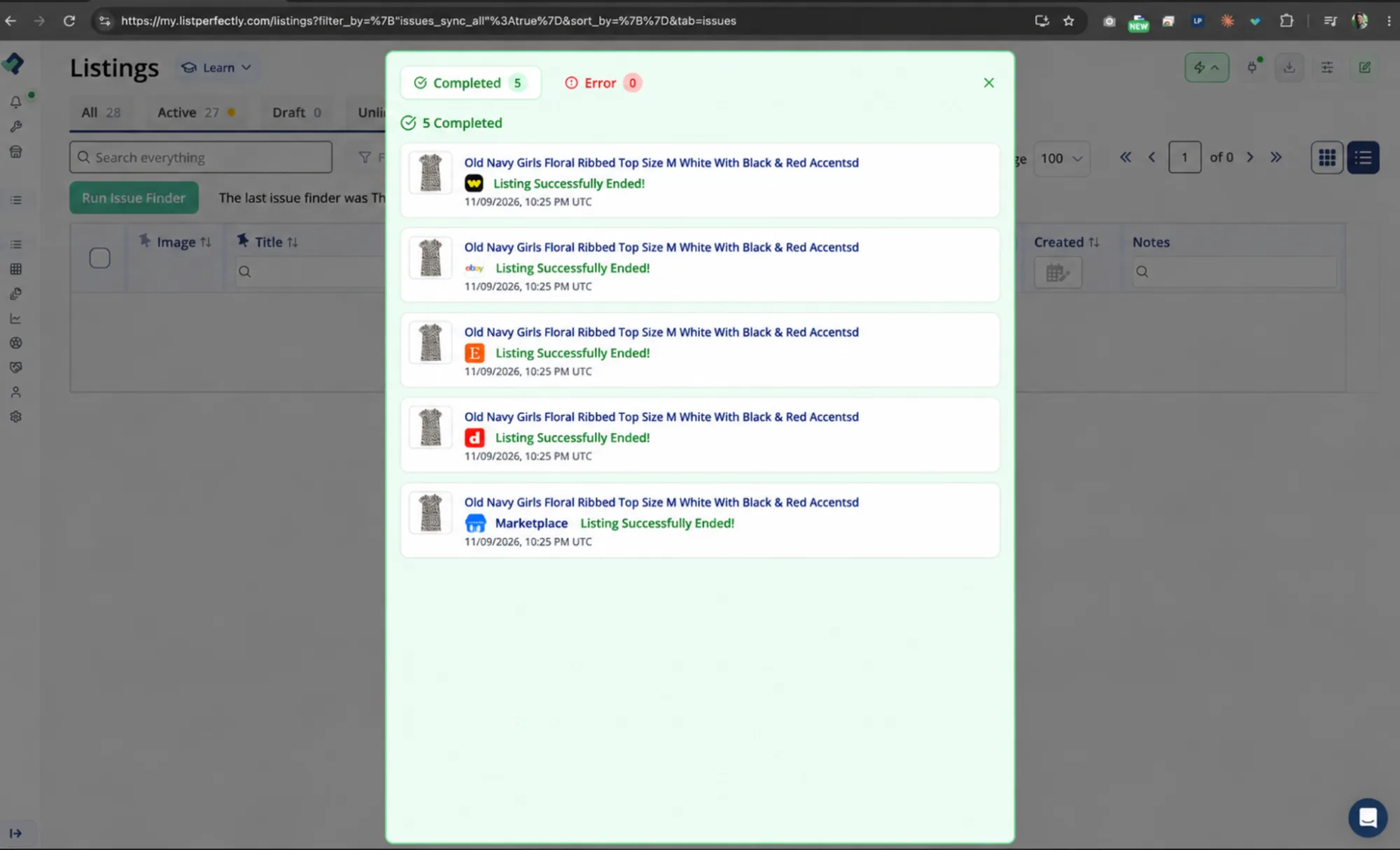
On desktop: Use List Perfectly’s sold-listing management tools to end active listings on other marketplaces and manage your inventory from your Catalog.
On List Perfectly Mobile: Open the sold item in your Catalog, tap the marketplace icon, and go directly to the active listing in the marketplace’s app or mobile website. End the listing there, then return to List Perfectly to update your Catalog. For a closer look, read How to Delist from Your Phone with List Perfectly Mobile.
Whether you’re sourcing, traveling, or away from your computer, you can manage sold inventory without searching through each marketplace to find the item you need to end.
Sales Detection vs. Mark Sold vs. Auto Delist: What’s the Difference?
List Perfectly gives resellers three ways to manage sold inventory, from receiving sales notifications to ending linked listings with one click or automatically.
| Sales Detection | Mark Sold | Auto Delist | |
|---|---|---|---|
| What happens? | Detects sales and notifies you | Ends linked listings across marketplaces with one click | Automatically removes sold listings from other supported marketplaces |
| Automation level | Automatic notifications | Semi-automatic | Automatic delisting |
| What do you do? | Respond to the notification | Click Mark Sold once | No manual action needed for eligible sales |
| Unlimited? | Yes | Yes | Yes |
| Available plans | Pro and Pro Plus | All plans, including Simple | Pro Plus |
The difference: Sales Detection tells you when an item sells. Mark Sold ends its linked listings across multiple marketplaces with one click. Auto Delist automatically removes eligible sold listings from other marketplaces.
Frequently Asked Questions About Sales Detection and Sold Listings
Yes. Every List Perfectly plan, including Simple, includes unlimited Mark Sold. With one click, you can instruct List Perfectly to end the sold item’s linked listings across multiple marketplaces. Resellers who want automatic removal can use Auto Delist, available with Pro Plus.
Yes. List Perfectly’s Auto Delist feature, included with Pro Plus, automatically removes eligible sold listings from other supported marketplaces when a sale is detected. The feature requires properly linked listings and an active, connected desktop setup. Learn more in our Auto Delist guide.
Yes. List Perfectly offers unlimited Sales Detection on Pro and Pro Plus. The feature provides notifications when sales are detected on supported marketplaces, helping sellers respond without repeatedly checking each marketplace account.
No. Even List Perfectly’s Simple plan includes unlimited Mark Sold, allowing you to end a sold item’s linked listings across multiple marketplaces with one click. Pro adds unlimited Sales Detection notifications, while Pro Plus adds Auto Delist.
You can compare List Perfectly plans to choose the level of automation that fits your reselling business.
Yes. With List Perfectly Mobile, you can access your Catalog from your phone, open direct links to active marketplace listings, and manually end them through the marketplace’s app or mobile website. Return to your List Perfectly Catalog afterward to update the item’s status.
Mobile does not perform desktop automated delisting actions. For the complete mobile workflow, see How to Delist from Your Phone with List Perfectly Mobile.