

Pricing starts with good research.
If you’re a reseller, you already know that pricing can make or break a sale. Price an item too high and it may sit. Price it too low and you risk leaving money on the table.
Many sellers price inventory by opening multiple tabs, comparing photos, searching Google, checking eBay sold listings, and trying to piece together a fair number. That process works, but it slows you down.
List Perfectly helps simplify that workflow by letting you research items and review pricing data while you list.
Watch the Demo
Embed this exact video in the post:
This demo shows a simple reseller workflow:
- start with Google Lens lookup from your listing image
- review similar items and product clues
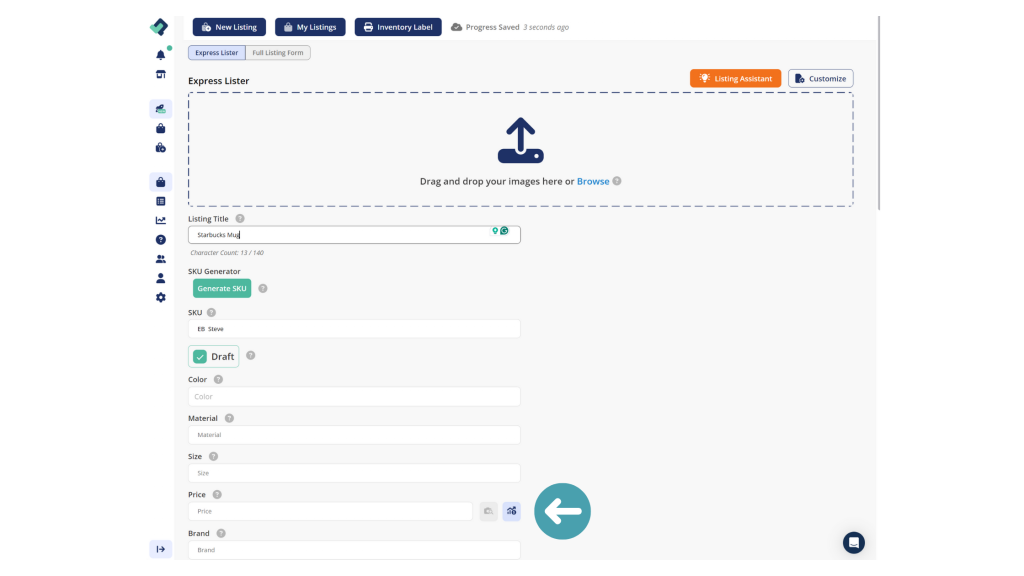
- use eBay pricing lookup from your title
- check active and sold comps without leaving your workflow
Step 1: Identify the Item with Google Lens
Sometimes pricing starts with identification.
List Perfectly’s pricing workflow includes a Google Lens Pricing Tool, which appears on the pricing chart in the Inventory Management section of the plans. (List Perfectly)
That makes it easier to:
- find visually similar items
- confirm brand or product details
- improve keywords
- get better context before you price
This is especially useful for vintage, thrifted, unbranded, rare, or hard-to-identify items.
Step 2: Check eBay Comps from Your Title
Once you have a title, List Perfectly’s eBay Pricing Lookup Tool helps you research comparable listings from that title. The pricing page shows this tool on the plan chart alongside the Google Lens tool. (List Perfectly)
That helps you review:
- active listings
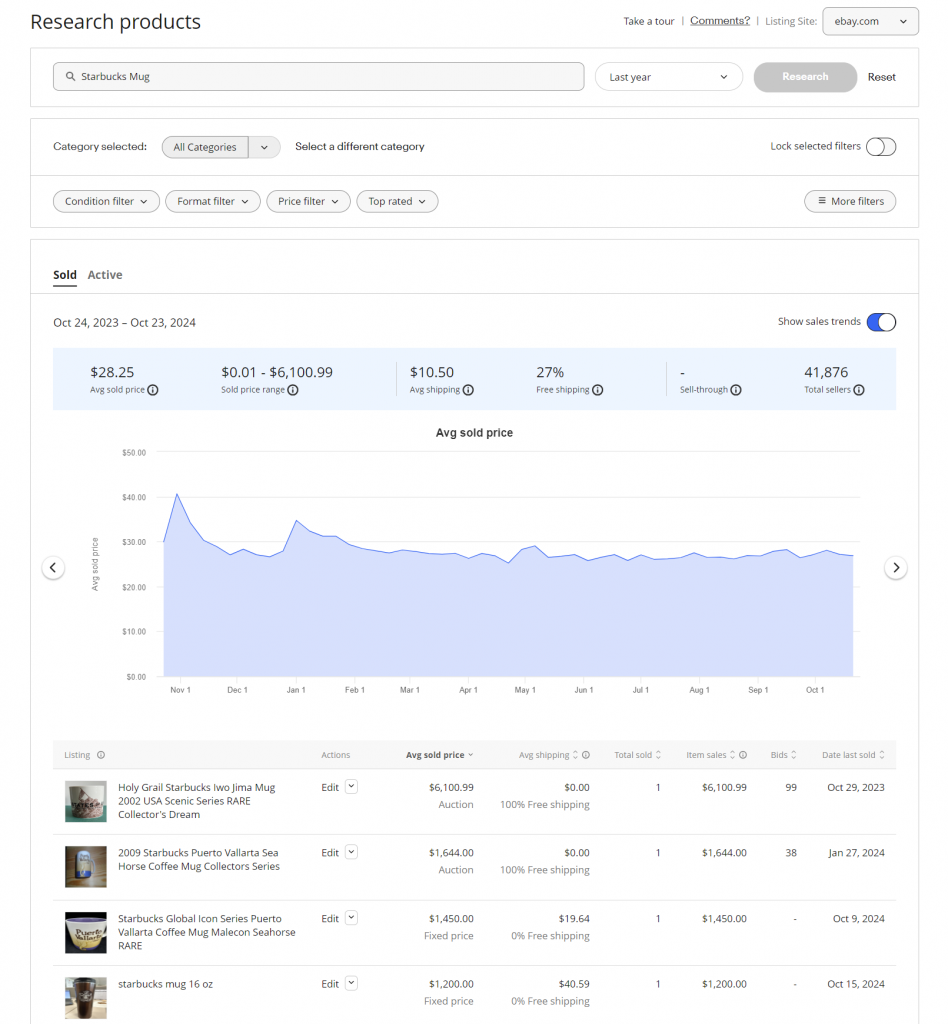
- sold listings
- comparable listings already in the market
This matters because good pricing on eBay usually starts with comps. Sold listings show what buyers actually paid, while active listings show how similar inventory is currently positioned.
How to Price Items on eBay
One of the most common reseller questions is: How do I know what price to list an item for on eBay?
A solid process is:
- identify the item correctly
- build a strong title
- review comparable listings
- check eBay sold listings to see what buyers actually paid
- compare against active listings
- price within a realistic market range
That is why this workflow is useful. It is not just about pulling data. It helps resellers make pricing decisions faster with better information.
Why This Matters for Resellers
A lot of sellers think slow sales always mean they need to list more.
But pricing matters too.
Better pricing research can help you:
- avoid overpricing based on guesswork
- avoid underpricing inventory
- understand where your item fits in the market
- move faster while listing
Available in All Plans
This is the part worth selling clearly.
List Perfectly’s pricing page shows both the Google Lens Pricing Tool and the eBay Pricing Lookup Tool on the plan chart, and it also highlights Listings (Unlimited) and Crosslisting (Unlimited) on the plans shown. (List Perfectly)
That means the stronger message for this blog is simple:
You can research and price inventory inside List Perfectly while keeping unlimited listing power as you grow.
This also supports a bigger point List Perfectly has made over time: useful reseller tools should not stay locked away forever. The current pricing chart reflects that broader access. (List Perfectly)
Ready to Use It?
If this workflow makes sense to you, the most natural next step is to start using it.