
Resellers use List Perfectly in different ways, and support works the same way: there is more than one place to get the right kind of help.
From the List Perfectly Help system and 24/7/365 Customer Support to group sessions and individual video assistance, List Perfectly gives members several ways to get answers while they work.
Here is where resellers can start when they need help with List Perfectly.
How to Contact List Perfectly Customer Support 24/7/365
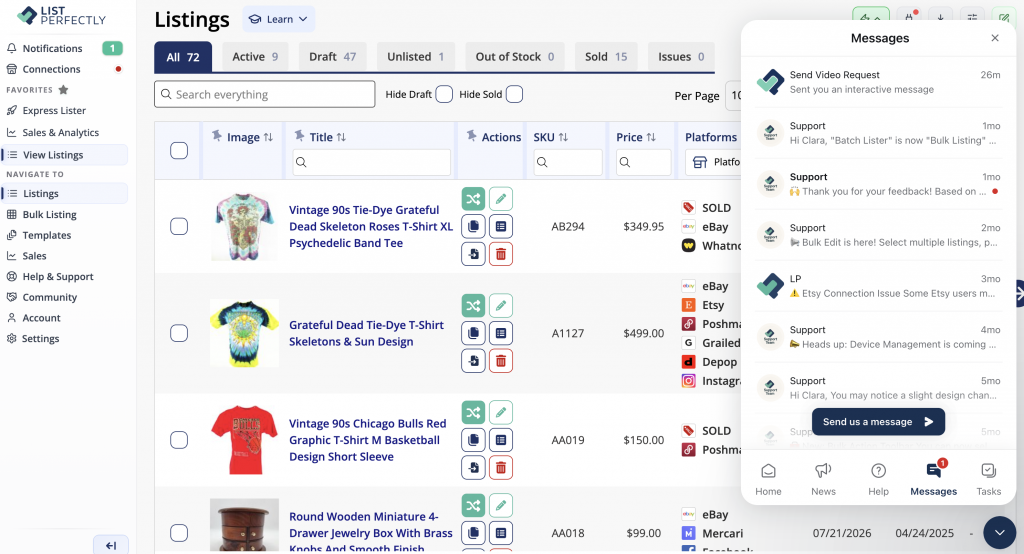
If you are logged in to List Perfectly, there are several ways to reach the Help system:
- Click the blue smiley icon in the lower-right corner inside List Perfectly
- From the Catalog view, use the left-hand menu and click Help and Support
- Open the List Perfectly extension and click the green Help icon
From the List Perfectly Help system, you can:
- Search List Perfectly Help Center articles about new features and tools, importing, crosslisting, managing your Catalog and inventory, and other List Perfectly questions
- Send a message to the List Perfectly Customer Support team
- Return to previous support conversations
- Access your Tasks and onboarding steps
- Read List Perfectly updates and announcements
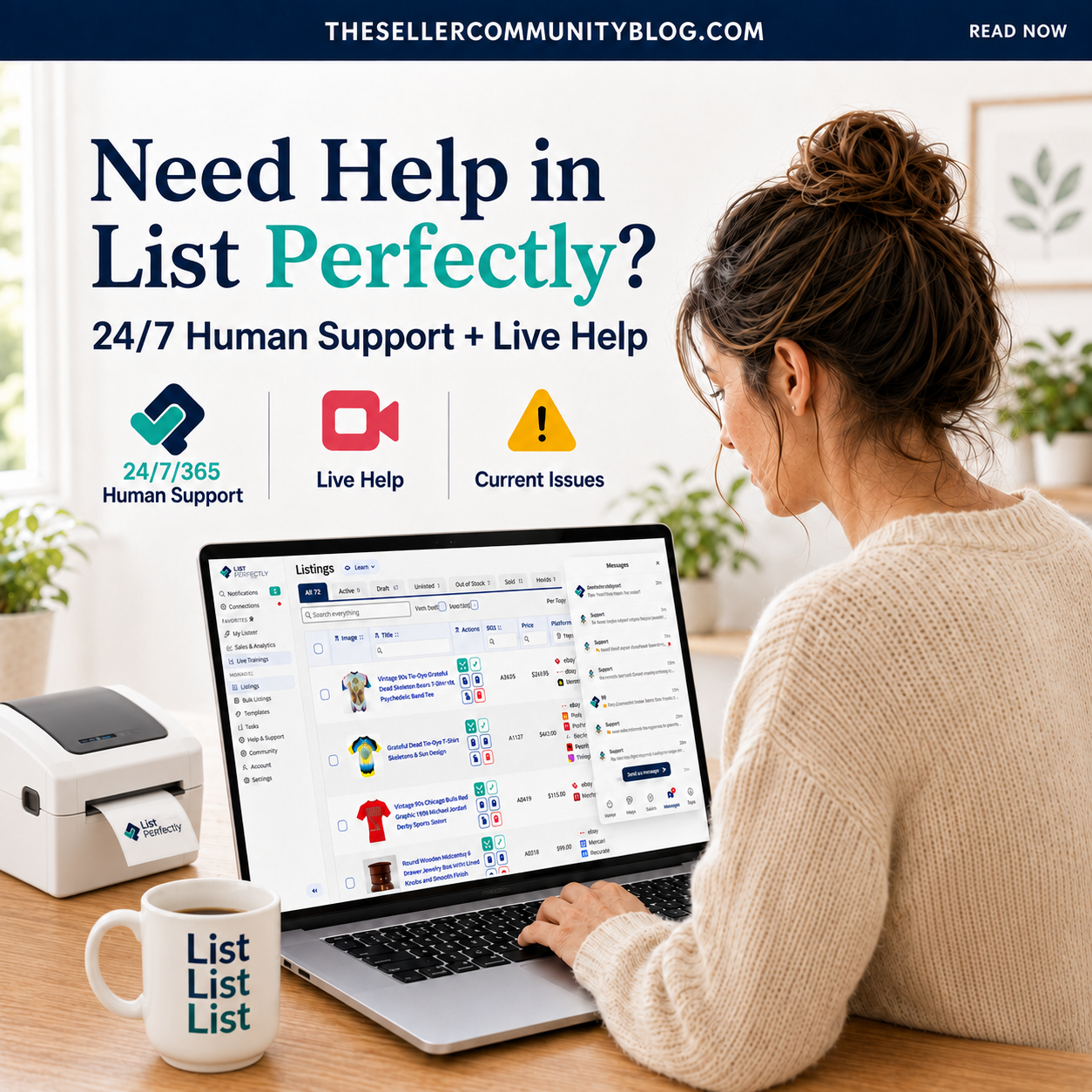
List Perfectly’s human Customer Support team is available 24 hours a day, 7 days a week, 365 days a year. Our Customer Support team is based in the United States, and response times are faster during regular U.S. business hours.
When you start a support conversation, the Help system may ask a couple of quick questions about what you are experiencing.
After that, you can show our team what you need help with in several ways:
- Send a written message explaining what you are seeing or trying to do
- Attach images or screenshots
- Send a voice message
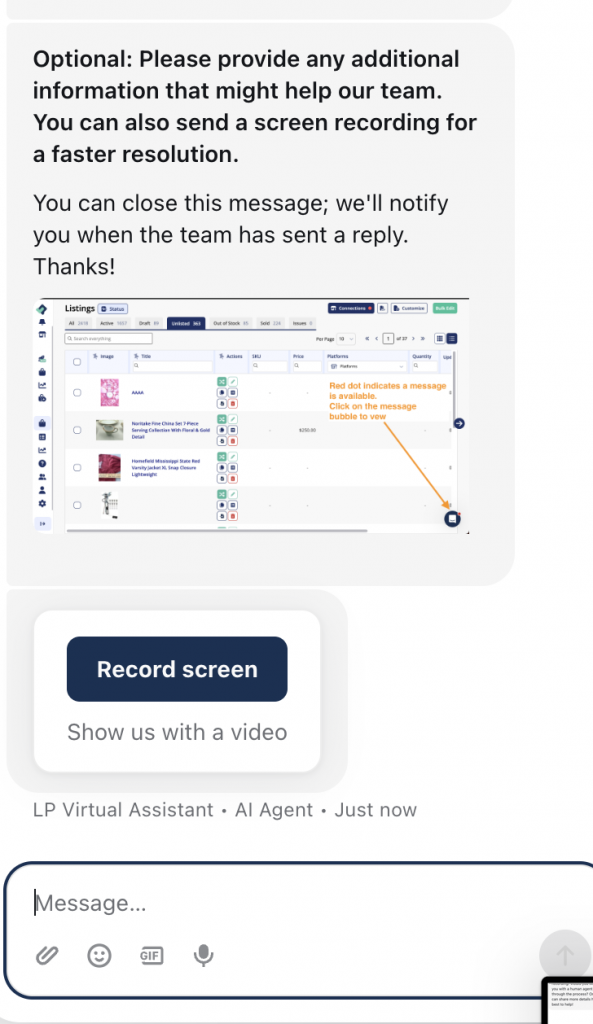
- Once you are connected with a Customer Support team member, use the blue Record Screen button to record what is happening on your screen
These options make communication faster and easier because screenshots, images, and screen recordings help our Customer Support team understand an issue faster than text-only back-and-forth.
Support conversations stay open and never time out, so you can keep working and return whenever it is convenient for you. When our team responds inside the List Perfectly Help system, you will also receive an email notification.
 .
. 
Watch: How to Use the List Perfectly Help System
This quick demo shows how to access the List Perfectly Help system and contact Customer Support when you are logged in.
Can’t Log In to List Perfectly?
If you’re not able to log in to List Perfectly, you can still send a message to the Customer Support team without logging in to your account:
Watch the quick demo: How to Contact List Perfectly When You Can’t Log In
List Perfectly Support Options: Group Onboarding and One-on-One Help
List Perfectly members can choose the type of help that works best for them, including daily group support and onboarding inside Listing Party, individual onboarding, and one-on-one video help.
Customer Support 411: Daily Group Support and Onboarding
Customer Support 411 is a daily group session inside Listing Party where both new and current List Perfectly members can ask questions and get help from the List Perfectly team.
For new customers, Customer Support 411 also serves as a group onboarding option for learning how to get started with List Perfectly.
Customer Support 411 is held daily at 12 PM Eastern Time.
Read: Customer Support 411 – Daily Live Support for Every List Perfectly Member
Individual Onboarding and One-on-One Video Help
New List Perfectly customers who prefer individual help instead of a group setting can schedule a one-on-one onboarding session with the List Perfectly team.
If your main question is what to do first after signing up, start with our complete onboarding guide:
What to Do First After Signing Up for List Perfectly
List Perfectly members on every plan can also schedule one-on-one video help.
You do not need to turn on your camera. The goal is not for our team to see you. It is to see the issue, request, workflow, or List Perfectly settings you need help with.
Live video gives the member and the Customer Support team two-way direct communication while our team observes the issue in real time. This is the fastest way to diagnose what is happening and help fix it.
List Perfectly Current Issues: Known Technical Issues and Marketplace Updates
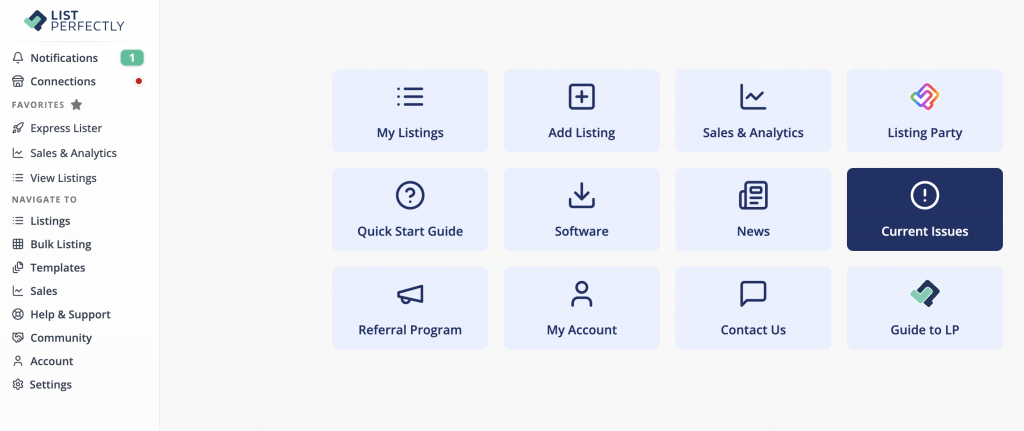
If a List Perfectly feature or supported marketplace suddenly behaves differently, Current Issues can help you see whether a known issue has already been posted.
Checking Current Issues is recommended, not required before contacting Customer Support. You can contact Customer Support at any time if you need help or are unsure what is happening.
If you are logged in to List Perfectly, you can check Current Issues.
If you are not logged in to List Perfectly or if you are not a customer, read our blog:
Tech Issues on List Perfectly? Check the Current Issues Page First
List Perfectly Customer Support FAQs
How do I contact List Perfectly Customer Support?
If you are logged in, you can contact Customer Support in several ways:
- Click the blue smiley icon in the lower-right corner inside List Perfectly
- From the Catalog view, click Help and Support in the left-hand menu
- Open the List Perfectly extension and click the green Help icon
If you are not able to log in, use:
https://listperfectly.com/contact/
What if I can’t log in to List Perfectly?
If you’re not able to log in to List Perfectly, you can still send a message to the Customer Support team without accessing your account:
https://listperfectly.com/contact/
Does List Perfectly offer phone support?
No. List Perfectly does not offer phone support.
You can send a message asking for help 24/7/365 and include screenshots, a voice message, or a screen recording when useful. Visual aids help our Customer Support team understand the issue faster than text-only back-and-forth.
After you contact the List Perfectly team, you can schedule a video session at a convenient time. You do not need to turn on your camera. Live video gives you direct two-way communication with our team while we observe the issue in real time, making it the fastest way to diagnose what is happening and help fix it.
What is the difference between Customer Support 411 and individual onboarding?
Customer Support 411 is a group session inside Listing Party where both new and current List Perfectly members can ask questions and get help. For new customers, it also serves as a group onboarding option.
Individual onboarding is a one-on-one experience for new customers who prefer personalized help getting started with List Perfectly. These sessions can be scheduled with the List Perfectly team.